Every module is live in this shop. Each back-office demo logs in with a user that only sees its own module; the credentials are filled in for you. Changes are reset automatically every 6 h.

Lowest 30-day price (Omnibus)
Shows the lowest price of the previous 30 days next to every discount, as the Omnibus Directive requires, plus a price-history chart.
User rkrlastprice.en@demo.rekire.com · password demodemo

Related and grouped products
Related-product blocks that build themselves from product data (feature, category, accessories), grouped by family and with canonical URLs for SEO.
User rkrrelational.en@demo.rekire.com · password demodemo

Best sellers plus
Best-seller carousels that never come out empty: by month, by category or by the one the shopper is browsing, with automatic fallback when sales are thin.
User rkrselledplus.en@demo.rekire.com · password demodemo

Additional customer form fields
Asks for address, phone, tax ID and company right in the sign-up form, with per-language labels, and creates the customer’s first address on registration.
User rkradditionalcustomerformfields.en@demo.rekire.com · password demodemo

Visual search
Instant full-screen search with photos and prices: understands typos and synonyms, suggests popular searches and shows banners. Try “shoes”, “specs” or “glases”.
User rkfreevisualsearch.en@demo.rekire.com · password demodemo

Full Product Log
Logs who changed what on every product, when and from where, with a chart, filters, CSV export and a per-product timeline. Edit a product and watch it appear.
User rkrhistoric.en@demo.rekire.com · password demodemo

Side menu
This shop’s navigation: a side menu of its own with unlimited levels and a header bar, generated from the catalogue. Subcategories and brands keep themselves up to date.
User rkrmenuclassic.en@demo.rekire.com · password demodemo
AI HTML landing blocks
Paste the HTML an AI gives you and turn it into a section of your shop: it splits HTML, CSS and JS, scopes the styles so the theme stays intact, reuses its fonts and checks the SEO. See the “Why nordia” section on the homepage.
User aihtmlblocks.en@demo.rekire.com · password demodemo

My downloads
Deliver manuals, guides or software to whoever bought a product, even a physical one: they appear in “My account” and on the product page for that customer only. Repairs download links on older orders and tells buyers when a new version is out. Here, the microwave’s PDF manual.
User customerdownloads.en@demo.rekire.com · password demodemo

Web accessibility
An accessibility button across your whole shop: text size, contrast, dyslexia font, screen reader, colour-blindness filters and more, with statistics on which tools your customers use.
User easyaccessibility.en@demo.rekire.com · password demodemo

Blog
A blog inside your shop: categories, tags, author profiles, moderated comments and articles linked to your products, which also appear on each product page.
User easyblog.en@demo.rekire.com · password demodemo

Product labels
Automatic labels on your products driven by rules: low stock, brand, category, price, new or on sale, with images or text in every language, effects and start and end dates.
User easyproductlabels.en@demo.rekire.com · password demodemo

Product videos
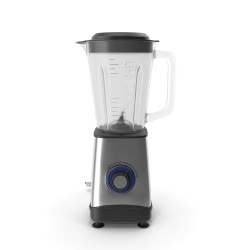
Add videos to the product page: uploaded to your shop or from YouTube and Vimeo without cookies, in the gallery, in a floating bubble and in listings, with structured data for Google. Check the blender.
User easyproductvideos.en@demo.rekire.com · password demodemo

SEO internal links
Automatically links keywords in your texts to products, categories, brands and pages without touching the descriptions: custom rules, suggestions, orphan pages and exclusions. See the links in the blender’s description.
User easyseointernallinks.en@demo.rekire.com · password demodemo

Edit credit slips
Fixes a credit slip that has already been issued without cancelling it: lines, quantities, prices with their VAT, shipping, date, discounts or surcharges and an internal note, then regenerates the PDF.
User editcreditslips.en@demo.rekire.com · password demodemo

Purchase manager
Supplier orders imported from their CSV, Excel or PDF, delivery notes with partial receipt, warehouse check-in with a scanner and no costs on screen, purchase invoices, weighted average cost with freight and compared price lists. Try counting the pending delivery in “Receiving”.
User purchasemanager.en@demo.rekire.com · password demodemo

Right of withdrawal and returns
The legally required right of withdrawal and the whole returns flow in one module: requests with the deadline counted from delivery, approve or reject with a reason, rules per reason, return-rate reports per customer and a log of terms-and-conditions versions and acceptances.
User rightofwithdrawal.en@demo.rekire.com · password demodemo

Log in as customer
From the customer page, the order or the lists, enter the shop with the customer’s account to see what they see or finish an order for them, without asking for their password. Single-use expiring link, authorised profiles and a log of every access. In the public demo the button is reserved for the administrator: you will see the settings and the log.
User rkracesomaestro.en@demo.rekire.com · password demodemo

Sell by area (m²)
Customers type the square metres they need to cover and the product page works out how many boxes, panels or packs to buy, waste included, and adds them to the cart. Stock by area, units in m², cm², ft² or hectares, and sales statistics. Try it in the «Made to measure» category: porcelain tile, wood-look ceramic, plywood and artificial turf.
User rkrareapricingpro.en@demo.rekire.com · password demodemo

Expert authors and reviewers (E-E-A-T)
Put names and faces to the content of your store: expert authors and reviewers with job title, credentials and verifiable profiles on the product page and CMS pages, a public experts page and the Person, author and reviewedBy structured data that Google takes into account (E-E-A-T). Open any Beauty, Drinks or Sport product and the «Our experts» link in the footer; in the dashboard, the profiles, the assignment console, the 23 themes and the coverage statistics.
User rkrauthorship.en@demo.rekire.com · password demodemo

Telegram alerts
Instant Telegram alerts for what happens in your shop: new customers and addresses, logins, contact messages, products added to cart and orders, each type to the chat you choose. In this demo the alerts are switched off: you see the settings in read-only mode.
User rkravisostelegram.en@demo.rekire.com · password demodemo

Billing details at checkout
Adds a «Request invoice» switch to the checkout address: customers say whether they are an individual, self-employed or a company and are asked only for what that needs; the tax ID (Spanish NIF, NIE or CIF, EU VAT) is checked before paying (control digit, VIES and, with a certificate, the Spanish Tax Agency). Above €400 a full invoice is mandatory. Every order is recorded as a full or simplified invoice, and billing details can be locked after the first order: the customer can no longer change them and requests it from My account → Billing details. Sign in to the shop with facturacion.demo@example.com / demodemo (a company with locked details) and try the checkout; in the back office see Customers → Billing details (there is a change request) and the tax ID tester at the end of the settings. Here locking, fixed address and unique tax ID are off for the whole shop because other demos share it.
User rkrbillingaddress.en@demo.rekire.com · password demodemo

Expert block
Put a face to your shop: the team that knows each product family appears on the product page, with opening hours, a side panel and team and expert pages with structured data for SEO (E-E-A-T).
User rkr_bloqueexperto.en@demo.rekire.com · password demodemo

Bulk images
Upload catalogue photos from a folder on your computer, guided by an Excel or CSV file: each image is matched to its product by reference, EAN or supplier reference, also from URLs, with no FTP or ZIP. This demo shows the wizard; uploading is disabled.
User rkrbulkimages.en@demo.rekire.com · password demodemo

Checkout order bump
Offers an extra product at a special price in the cart and at checkout, added with one click without leaving the payment step: rules by product, category or cart amount, percentage, amount, fixed-price or free-gift discounts, A/B testing with automatic winner, 23 themes, effects, countdown and statistics of impressions, acceptances and revenue. Try it: add the 20 cm chef’s knife to the cart (the bamboo chopping board comes with 30% off), a dress (earrings, with an A/B test), the Luna wrist watch (Eclipse sunglasses for €24.90) or more than €60 of sport items (free tennis balls). Remove the product that triggers it and the offer is withdrawn on its own.
User rkrbuymorepro.en@demo.rekire.com · password demodemo

CSS and JS cache buster
No more “I still see the old version”: adds a version to every shop CSS and JS file that changes by itself when the file changes, or for all of them at once with one button after a deployment. Without touching the theme or the modules.
User rkrcachebuster.en@demo.rekire.com · password demodemo

Carbon footprint
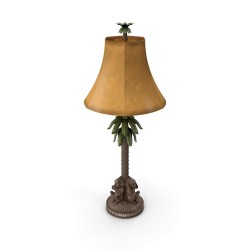
Shows the CO2e footprint of every product and every shipment, with easy-to-grasp equivalents, and lets shoppers offset it in the cart. Yearly dashboard with emissions and offsets. See the lamp and add it to the cart.
User rkrcarbonfootprint.en@demo.rekire.com · password demodemo

Buy button with cart quantity
Product lists show only “Buy”. Once pressed it turns into − quantity +, showing the units already in the cart: type 5 and there are 5, nothing is added on top. Try it in the Kitchen category.
User rkrcartqty.en@demo.rekire.com · password demodemo

One cart on every device
Customers see the same cart on their computer, phone and every tab, even with both sessions open at once: what they add on one shows up on the other by itself, and carts that split are joined without doubling quantities. Log in to the shop as carrito.demo@example.com / demodemo from two browsers and add something on one.
User rkrcartsync.en@demo.rekire.com · password demodemo

SEO links in categories
Adds two hand-picked link blocks with their own title under each category: popular searches, star products or sibling sections. More internal linking and better paths for Google. See it at the bottom of Kitchen.
User rkrcategoryseourl.en@demo.rekire.com · password demodemo

Automatic default category
Sets each product’s default category to its most specific one, in one click or by cron: breadcrumbs and links that lead to “Bags” instead of “Women”. Press “Run Update Now” and check the leather bag’s breadcrumb.
User rkrchangedefaultcategory.en@demo.rekire.com · password demodemo

PrestaChat: availability and alternatives
PrestaChat add-on that teaches it to answer per size, colour or any combination with real stock and price, and to suggest similar in-stock products when something is sold out. Here you see its custom instructions; in this demo there is no AI key and changes are not saved.
User rkrchat_availability.en@demo.rekire.com · password demodemo

Consignment sales
Sell items your customers leave on consignment: a record for each consignor with their commission, items with status and expiry date, sales that are created when the order is paid and undone if it is cancelled, a hold period before settling, and settlements by bank transfer or as store credit (it creates a voucher). Approve Martín Sanz’s draft settlement and see the voucher. Each consignor has a portal: the shop link opens Lucía Prieto’s; you can also sign in to the shop with lucia.prieto@example.com and the password RkrDemo123! (My account → consignment space).
User rkrconsign.en@demo.rekire.com · password demodemo

Tips & donations
Tips in the cart and the checkout (percentage, fixed or free amount) as a real order line that only counts once the order is paid, split between the team, with themes and statistics. And donations for NGOs: campaigns with a goal, one-time and recurring donations, PDF tax certificates and the Spanish Modelo 182. Add any product to the cart to see the tip, open «Donate» in the footer and look at the statistics, the donors and the Modelo 182 preview in the dashboard.
User rkrcontribution.en@demo.rekire.com · password demodemo

Crowdfunding & pre-sales
Run crowdfunding campaigns and pre-sales inside your shop: a goal in money or in units, all-or-nothing or flexible funding, reward levels, countdown, backer wall and updates. Backers pledge with the usual cart and payment, and a pledge only counts once its order is paid. Look at the campaigns in the shop (the «Kite» backpack pre-sale also shows on the Kite modular backpack page), and in the dashboard at each campaign, the pledges, the 23 themes, the statistics and the emails.
User rkrcrowdfunding.en@demo.rekire.com · password demodemo

Custom content types
Create your own content types in your store —recipes, events, projects, team, success stories— with their fields, categories and pages with friendly URLs, SEO and filters, without WordPress. Look at the content index and open any recipe or event: you will see its fields, its blocks and the related products. In the dashboard, the types with their fields, the entries with revisions and statuses, the themes and the statistics.
User rkrcustomcontent.en@demo.rekire.com · password demodemo

Personal deadline offers
Gives every customer their own offer with an expiry date: a unique coupon and a countdown that starts when they see it (or when they register, subscribe, abandon the cart or buy), shown the same in the shop and inside the email. When it reaches zero the coupon really stops working. Open «See it in the shop» to get your 15% offer for 72 hours, and look at the campaigns, the personal deadlines, the 23-theme studio and the statistics in the dashboard.
User rkrdeadlineoffers.en@demo.rekire.com · password demodemo

Dynamic Open Graph images
When someone shares a link to your shop on WhatsApp, Facebook, X or LinkedIn, a 1200×630 image made for that product, category or page shows up: photo, name, price, discount, rating and your logo. Try it: go through the 23 themes with the live preview, change colours in Styles and move the pieces in the Builder with a real product of the shop. Statistics count the images generated for the whole catalogue.
User rkrdinamicimage.en@demo.rekire.com · password demodemo

ERP invoices in the customer account
Your ERP uploads invoices, delivery notes and documents as PDF and each one shows up in its customer’s account, ready to download. Anything sent for an email without an account is quarantined, and every upload and download is logged. Here you see the sample documents and the logs.
User rkrerpupload.en@demo.rekire.com · password demodemo

Events, courses and bookings
Sell workshops, online courses and appointments from your own shop: event catalogue with categories and professionals, limited places, QR-code tickets, sign-ups and calendar bookings. Here, the shop's cooking, styling and plant workshops.
User rkreventssuite.en@demo.rekire.com · password demodemo

Checkout exit poll
When a shopper with items in the cart is about to leave the checkout, it asks in one click why (shipping too expensive, another payment method, just browsing…) and, depending on the answer, offers a coupon on the spot. Statistics with funnel, reasons, devices and recovered carts. Add a product, go to checkout and move the mouse out through the top of the window.
User rkrexitpoll.en@demo.rekire.com · password demodemo

Expiry dates and batches
Every unit with its batch and date: first-expired-first-out picking, a forecast of what will not sell in time, traceability of which batch went to which customer, recall files and a waste log. Tells use-by from best-before, as Regulation 1169/2011 requires.
User rkrexpiry.en@demo.rekire.com · password demodemo

Shortcode content blocks
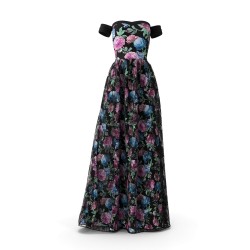
Size guides, spec sheets, pros and cons, FAQs with structured data, notices and more, written as shortcodes in any description and styled your way. See it on the dress product page.
User rkrextradata.en@demo.rekire.com · password demodemo

Paid free-return coverage at checkout
At the last checkout step the shopper can add, for a small fee, a free-return coverage: if they send the order back, they get a prepaid label and their refund, store credit or exchange. The fee comes from a formula with your return rate and your label cost, or from rules by carrier, country or group. With statistics on how many take it, revenue and margin, and 23 themes. Try it: add a product to the cart, go to payment and tick «Add a free return» (the fee goes into the summary; untick it and it goes away). To see «My free returns» with a label, sign in with cliente.devolucion@example.com and the password RkrDemo123!. In the back office, look at the fee simulator («Fee & pricing»), the statistics and the covered orders.
User rkrfreereturn.en@demo.rekire.com · password demodemo

Product gallery
Swap the product-page gallery without touching the theme: mosaic, bento, peek carousel, stories or thumbnails, with a full-screen zoom. Rules by category: here dresses show as a mosaic and kitchenware as a bento grid.
User rkrgallery.en@demo.rekire.com · password demodemo

Google and Trustpilot reviews
Shows your Google, Trustpilot and Facebook reviews in your store in carousels, grids, lists, a rating badge and the «Reviews» tab of the product page, with 23 themes. And it asks for reviews after delivery: customers rate in your store, everyone is offered the public review link and low ratings also open a private support form. Look at the home page carousel, the «Reviews» tab of any product and the footer grid, and at the widgets, themes and statistics in the dashboard.
User rkrgooglereviews.en@demo.rekire.com · password demodemo

Group buying
The more buyers join, the lower the price: campaigns with discount tiers, groups the shopper shares on WhatsApp or social media with a countdown, a reward for whoever opens it, and statistics on groups, tiers and reach. On closing, a group that reached the minimum is charged and one that did not is refunded through the shop’s payment module (this demo has no real gateway, so the sample groups carry no orders). Look at the bedside table in the shop and join a group.
User rkrgroupbuying.en@demo.rekire.com · password demodemo

HTML blocks with rules
Put your own HTML in any shop hook and decide where it shows: by page, category, product, customer, cart, country, device or date. Here, the strip under the menu (home and categories only) and the box and care tab that only appear on Kitchen products.
User rkrhtmlblocks.en@demo.rekire.com · password demodemo

Influencer codes
A code and a link for every micro-influencer without filling your cart rules: welcome popup with their photo, discount inside the total before payment, statistics, commissions, payouts, seeding and applications. Open the shop with Lucía’s link and add a dress to the cart.
User rkrinfluencerpromo.en@demo.rekire.com · password demodemo

Per-combination information
Create your own fields (text, HTML, numbers) and fill them per product or per combination: the product page shows the one for the chosen size or colour and switches when another is picked. Here, the measurements of each dress size.
User rkrinfoattributes.en@demo.rekire.com · password demodemo

Invite & Win: referrals with a wallet
Your customers invite their friends with their personal code and link (WhatsApp, email, Telegram, Facebook or X). The friend gets a welcome discount applied on its own to the first order, and when that order is delivered the referrer earns wallet credit that comes off their next purchase automatically. With fraud checks and a review queue, reversal on cancellation or refund, tiers, a monthly leaderboard, themes and statistics with the cost per new customer. Try it: open the dashboard and the Themes tab (the preview changes live); in the shop open Carlos's invitation link, and sign in as rkr.demo.carlos@example.test / DemoRekire2026 to see his wallet and the balance applied in the cart.
User rkrinviteandwin.en@demo.rekire.com · password demodemo

Invoice number series
Numbers invoices in series of your own by country, region or customer group, with the year as a suffix and a yearly restart. The number shows on the PDF and on the order.
User rkrinvoicenumber.en@demo.rekire.com · password demodemo

Legal texts and consents
Legal notice, privacy, terms of sale, shipping and withdrawal built from the shop’s real data, with versions: every change stays in the history and only reviewed texts go live. Checkout asks to accept the documents and each order keeps the exact version the customer accepted. It watches the configuration and official sources and alerts you when a text needs a review. Publish the terms of sale draft and place an order: you will see the checkboxes.
User rkrlegalassistant.en@demo.rekire.com · password demodemo

Sell by length (m)
Customers type the metres they need and the product page works out how many cuts, drums, rolls or lengths to buy, waste included, and adds them to the cart. Stock by length, units in m, cm, mm, ft or inches, and sales statistics. Try it in the «Made to measure» category: LED strip, rope, fabric roll and PVC pipe.
User rkrlinearpricingpro.en@demo.rekire.com · password demodemo

Shared stock for products, combinations and packs
Links products or combinations that come from the same physical unit: the same item listed twice, a single item and its 3-pack, the warehouse master and its listings. One sale decrements the stock of all of them, with three strategies (shared pool, mirror minimum and master driven), warehouses, history and statistics. Look at the Azur Dress size M group and its outlet listing, the 3-poster pack that uses 3 units per sale and the 30-day statistics.
User rkrlinkstock.en@demo.rekire.com · password demodemo

Shareable cart links and QR codes
Turn a selection of products into a link or a QR code: the customer opens it, sees a quotation page with photos, prices, your note and the coupon, and «Load cart» puts everything in their cart. Each link chooses whether to start a new cart, add to the current one or ask; it can expire, limit uses, carry a coupon and UTM tags, and if a product runs out it is replaced with another size or removed with a notice. Your customers can also share their cart from the shop, and the statistics show which links are opened, loaded and sell, by channel, country and hour. Open the kitchen link (it carries the MAGIC10 coupon) and load the cart; in the back office, create your own link and download its QR code.
User rkrmagiccarts.en@demo.rekire.com · password demodemo

Email template editor
Sell from order emails: recommended products, a unique coupon for the next order and banners inside the confirmation, shipping and delivery emails. Plus a visual block editor for every email, language by language, with preview and revisions.
User rkrmaileditor.en@demo.rekire.com · password demodemo

Mix & match box
Let shoppers build their own box from your catalogue, with minimum and maximum items, a fixed price or a discounted sum, and stock control for every component. Build the utensil box.
User rkrmixmatchbox.en@demo.rekire.com · password demodemo

Multiple EAN codes
Several barcodes per item —case, pack, old EAN, supplier or internal code— each with its quantity factor, and the same code on several items. The conflicts screen shows the duplicated catalogue EANs PrestaShop never warns about, and one item is sold by weight, its scale label decoded by a rule. Try a code in “Test”.
User rkrmultiean.en@demo.rekire.com · password demodemo

Coupon for the next purchase
Every paid order generates a unique coupon for the customer's next purchase, with a discount scaled to what they just spent, a short expiry and a minimum purchase. It reaches them by e-mail with a «Use it now» button, in My account and in a countdown banner, and it is reminded before it expires. You see how many are redeemed and how much they sell. Try it: sign in to the shop with cliente.cupon@example.com and the password RkrDemo123!, look at the header banner, open My account → My coupons and press «Use it now» with something in the cart.
User rkroffernextbuy.en@demo.rekire.com · password demodemo

Offers in transactional emails
Turns order confirmation, shipping and delivery e-mails —the most opened ones— into sales: product recommendations, a unique coupon for the next order and campaign banners, with 23 themes, open and click tracking and attributed revenue statistics. Look at the live preview in «Themes & styles» (hover the themes), the 90-day statistics and the banners.
User rkrofferstransmail.en@demo.rekire.com · password demodemo

One-click purchase, address later
A «Buy now in 1 click» button next to add to cart: customers buy with their name, email and phone, and add the shipping address afterwards, from a link sent by email or from their account. With bank wire, cheque or cash on delivery the order is created at once in the «Pending ONE CLICK address» state; any other gateway goes straight to the payment step. Try it: open a watch or sunglasses in the shop, press «Buy now in 1 click», choose bank wire and complete the address in the portal; in the back office check One Click orders, Statistics and Themes & styles.
User rkroneclickinstantbuy.en@demo.rekire.com · password demodemo

CSS, JS and Google Fonts optimizer
Every module loads its stylesheets and scripts on every page, needed or not. This module lists what each page loads, with its weight and its module, and lets you remove it, defer it or delay it until the shopper touches the page, by page type, category, product, device or URL. It also hosts the Google Fonts on your own server (the visitor IP is never sent to Google) and measures the improvement with a before/after test mode. Try it: open the Assets tab and see what weighs most; then Rules for the sample rules and Statistics for the before/after comparison.
User rkroptimmatters.en@demo.rekire.com · password demodemo

Old order archive
Moves old orders out of the live tables into archive tables —lines, history, invoices, payments, credit slips, returns, cart and messages— so the order list stays fast, and brings them back untouched in one click. There are 29 orders from 2-3 years ago archived in six runs: search them, open one, restore it (it returns to the order list with the same number) and click «Run now» to archive it again; the rules are 540 days and delivered, cancelled or refunded orders. Also see the statistics and the cron URL. Permanent deletion is locked.
User rkrorderarchive.en@demo.rekire.com · password demodemo

Order Guard Free
Finds orders duplicated by the payment gateway, double invoices and overcharges, and tells you which one is extra and why. See Orders → Duplicate orders and the warning on each order page.
User rkrorderguardfree.en@demo.rekire.com · password demodemo

Order Guard
Stops the payment gateway from duplicating orders, invoices and charges when it notifies twice at once, and fixes what already happened: tells you which order is extra, cancels it and frees the trapped stock.
User rkrorderguard.en@demo.rekire.com · password demodemo

Gift occasion reminders
Your customers save in «My account» the birthdays, anniversaries and holidays of the people they buy gifts for, and days before they get an email with gift ideas and a single-use coupon. The shop shows a banner with the closest date, and the dashboard measures sends, opens, clicks and the orders each reminder brings. Try it: open the dashboard and the statistics; in the shop sign in as rkr.demo.lucia@example.test / DemoRekire2026 to see the banner and her dates in «My gift occasions».
User rkrorderprepcalendar.en@demo.rekire.com · password demodemo

Picking
Prepares orders in waves: a route sorted by aisle, a mobile picking app with scanner and voice, product warnings, which batch and date to take, a sheet per order and per-operator performance. Open the morning wave and press “Picking”.
User rkrpicking.en@demo.rekire.com · password demodemo

PrestaChat: AI assistant
A back-office assistant you ask in plain language about stock, orders and customers, discounts or shortcuts, with confirmation before anything changes and a log of every call (model, tokens, retries). With its availability add-on it answers per size and suggests alternatives. In this demo there is no AI key: you see a sample conversation and log.
User rkrprestachat.en@demo.rekire.com · password demodemo

Combination images
Replace size, colour or finish buttons with images, per product or globally for the whole catalogue, with a description and photo swap on selection. Here, the dress sizes.
User rkrproductattribute.en@demo.rekire.com · password demodemo

Product dependencies
Sell spare parts, accessories, upgrades or courses only to customers who meet the requirements: a previous purchase, a product in the cart, a customer group or a minimum spend. Notice on the product page, listings and cart, server-side blocking and an «Add missing items» button that puts what is needed in the cart. Try it: open the cricket ball (only with the helmet), the baseball (with a glove or a bat), the monopod (cross-sell notice), the Fiesta glasses (Influencers group) or the bathroom cabinet (€150 spent).
User rkrproductdependencies.en@demo.rekire.com · password demodemo

Product bundles
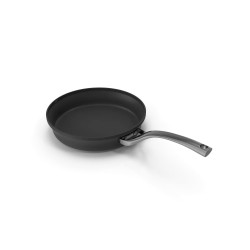
Offer bundles on the product page with the items that complete it and a discount applied automatically in the cart. Seven designs, triggered by product, category or combination. Check the frying pan.
User rkrproductkit.en@demo.rekire.com · password demodemo

Post-purchase product notices
Sends customers the right email for what they bought: first-use instructions, guides, restock reminders with an “order again” button and recommendations, when they order or days after delivery.
User rkrproductnotices.en@demo.rekire.com · password demodemo

Out-of-stock, disabled and 404 products
Visitors landing on an out-of-stock, disabled or deleted product see available alternatives instead of a 404, and Google gets the right answer: OutOfStock with the real price, a noindex alternatives page and 404 for deleted items. With recovered-sales statistics.
User rkrproductrescue.en@demo.rekire.com · password demodemo

Product subscriptions
Sell the products people reorder on subscription: the customer chooses how often and with what discount, and you see subscribers, upcoming deliveries, renewal orders and the billing forecast. Look at the Velvet loose powder in the shop; in this public demo you can choose the subscription but not pay for it.
User rkrproductsubscription.en@demo.rekire.com · password demodemo

Programmatic SEO: landing pages at scale
Turns a keyword list into real landing pages of your shop: “category in city”, “category for a use” and comparisons, with live products, FAQ with structured data, sitemap and automatic 301 redirects. Try it: open nordia’s landings from the list, see how the anti-cannibalization engine keeps as draft the ones that overlap another page, go through the 23 themes and check 60 days of statistics.
User rkrprogramaticseo.en@demo.rekire.com · password demodemo
Push notifications and PWA
Web push notifications with no middleman: campaigns, abandoned cart, back in stock, price drop and order status, with funnel, deliverability per push service and revenue attributed to every send. In this demo the prompt and the PWA are switched off in the shop: you see the dashboard with sample data.
User rkrpush.en@demo.rekire.com · password demodemo

Product questions and FAQs
Shoppers ask on the product page and the shop answers for everyone to see, with moderation, helpfulness votes and markup for Google. Plus FAQs per category and brand with FAQPage markup. See the microwave’s questions.
User rkrquestions.en@demo.rekire.com · password demodemo

Quick add combinations in product lists
In product lists, the add to cart button of a product with combinations opens the available sizes with the default one selected and the price of each: the customer picks one and adds it without opening the product page. In the settings you choose where it opens: over the image, centered window, side panel or bottom card, and a bottom sheet on mobile. Try it in the Dresses category.
User rkrquickcombinations.en@demo.rekire.com · password demodemo

Spanish equivalence surcharge
For shops that sell to Spanish retailers under the equivalence surcharge regime: each VAT gets its surcharge as one more tax, included in the amount charged, the order, the invoice and the credit slip. The cart shows VAT and surcharge apart, and the invoice breaks them down by rate (21 % → 5.2 %, 10 % → 1.4 %…). Try it: sign in to the shop as comercio.recargo@example.com (password RkrDemo123!), add the blender and the loose coffee to the cart and you will see the surcharge lines for products and shipping. In the back office look at the legal rates, the «Surcharge» column in Customers and the order of Ferretería Demo with its invoice.
User rkrrecargoequiva.en@demo.rekire.com · password demodemo

301 and 410 redirects
Keep the traffic of your old shop’s URLs: 301 redirects and 410 answers that only kick in on a 404, without touching .htaccess or adding overrides. With hit counter, URL tester and a warning for the ones worth reviewing.
User rkrredirects.en@demo.rekire.com · password demodemo
Gateway refunds and credit memos
Refund full or partial amounts straight on the gateway the customer paid with (Stripe, PayPal, Redsys/Bizum, Paycomet or manual) from the order page, with a numbered PDF credit memo, an audit trail, customer refund requests and statistics. This demo has no gateway keys: you will see the sample refund queue in every status; open one to see its breakdown and timeline, download a credit memo as PDF and look at the statistics dashboard.
User rkrrefoundingorders.en@demo.rekire.com · password demodemo

POS / ERP connector (Lite)
A JSON endpoint so your POS or ERP can read the shop catalogue: categories, products, combinations, prices, stock and locations, plus cart quotes. With a token, an IP allow-list and write access you can switch off. In the demo you see the settings; outside access is closed.
User rkrremotetpvlite.en@demo.rekire.com · password demodemo

Returns portal
Customers open their own return from the shop, with or without an account; you approve it with rules and settle it with a refund, a voucher with a bonus or a size exchange. With reports on why things come back and how much stays in the shop.
User rkrreturns.en@demo.rekire.com · password demodemo

Container deposit (SDDR)
The mandatory deposit per drink container (Spanish RD 1055/2022): types by material and size, assignment per product or combination with units per pack, and the amount itemised on product page, cart, order and invoice. See the 6-pack of water: six containers, six deposits.
User rkrsddrmanagementdeposit.en@demo.rekire.com · password demodemo

City selector and international phone
Replaces the free «City» field with a searchable list of the 8,024 municipalities of Spain (plus cities of Portugal, France, Italy, Germany and the UK) filtered by state, with postcode autofill, and validates the phone with a country picker, dial code and international format. Fewer mistyped addresses and fewer returned parcels. Try it: sign in to the shop as ciudad.demo@example.com (password RkrDemo123!), open My addresses, pick a province and type your city; in the phone try a +33 or a short number. In the back office: settings, cities, themes, statistics and the address of Lucía Rivas in Customers > Addresses.
User rkrselectcity.en@demo.rekire.com · password demodemo

Order alerts on Telegram
Every order reaches your phone on Telegram with customer, address, products, carrier, total and the profit per product and per order; also payments, status changes and edited orders, as you choose. In this demo sending is switched off: you see the settings in read-only mode.
User rkrsendtelegram.en@demo.rekire.com · password demodemo

Product regulatory information
The legal data sheet regulations require, right on the product page: cosmetics (INCI, allergens, PAO, responsible person), nutrition, pharmacy and more. With a compliance dashboard showing which products are incomplete and what they lack. See the lipstick.
User rkrsensitiveregulatoryinfo.en@demo.rekire.com · password demodemo

Error sentinel
Watches your shop and alerts you on Telegram about PHP errors, module, database, storefront JavaScript and mail failures, and payments without an order or with a different amount, grouping repeats. Here you see the log with sample errors; in this demo capture and sending are switched off.
User rkrsentinel.en@demo.rekire.com · password demodemo

SEPA Direct Debit
The customer signs the SEPA mandate at checkout with their IBAN, and you group the collections into batches and download the XML file (pain.008) to upload to your bank, with no gateway and no per-payment fees. Here you see the sample mandates and the creditor settings; in the public demo the payment method is not offered in the shop.
User rkrsepapayment.en@demo.rekire.com · password demodemo

Shipping protection with claims portal
With a tick box in the cart, the shopper adds shipping protection for a small fee (a percentage of the order with a minimum and a maximum, or a fixed fee, VAT included and in their currency). If the parcel arrives damaged, never arrives or gets lost, they open a claim from their account, and the shop resolves it from the back office with a replacement, store credit or a refund. With automatic approval by amount, fee and claim analytics, and 23 themes. Try it: add a product to the cart and tick «Protect your shipment» (the fee is added to the total; untick it and it goes away). To see the claims portal, sign in to the shop with cliente.proteccion@example.com and the password RkrDemo123! (My account → My protection claims). In the back office open the «Approved» claim and resolve it with a replacement or store credit. The settings, with the fee simulator, are under «Guide» → «Settings».
User rkrshippingprotection.en@demo.rekire.com · password demodemo

Homepage slider
This shop’s homepage carousel: images or video, a different image for mobile and tablet, texts in every language, slides scheduled by date and automatic WebP.
User rkrslider.en@demo.rekire.com · password demodemo

Session passes and prepaid credits
Sell passes for classes, sessions, car washes or alterations like any other product: once the order is paid, the sessions are added to the customer account, each batch with its expiry date. Customers redeem from the service page, pay for accessories with their wallet at checkout and gift credits with a code. You see every account, the ledger and the statistics. Try it: sign in to the shop with cliente.bonos@example.com and the password RkrDemo123!, open My account → My credits, redeem the «Alteration: trouser hem» and pay for some sunglasses with «Pay with my credits».
User rkrsmartcoupons.en@demo.rekire.com · password demodemo

Social login
Sign-up and login with Google, Apple, Facebook, PayPal, Amazon, LinkedIn and X, plus passkeys and SMS or WhatsApp codes, with reports on sign-ups, logins and sales from those customers. This public demo has no provider keys, so the shop does not show the buttons: you will see the sample linked accounts, the reports and the settings.
User rkrsociallogin.en@demo.rekire.com · password demodemo

Sticky add-to-cart bar
When shoppers scroll down the product page and lose sight of the buy button, a bar appears with photo, name, price and “Add to cart”. Scroll down any product and try it.
User rkr_stickycart.en@demo.rekire.com · password demodemo

Stock need
Works out how much of each product to restock for the coming days from its real sales, leaving out the days it was out of stock or disabled. Pick the period and supplier and press “Show max needs”.
User rkrstockneed.en@demo.rekire.com · password demodemo

Stock reserve with countdown
Units are held as soon as they reach the cart, with a countdown on the product page, cart and checkout, and released automatically when time runs out: nobody loses the last unit halfway through checkout. Add the gold watch (3 left) and watch the timer.
User rkrstockreserve.en@demo.rekire.com · password demodemo

Stripe card payments and subscriptions
Take card, Apple Pay and Google Pay payments through Stripe, with subscription plans assigned to each product and full or partial refunds from the back office. This public demo has no Stripe keys: you will see the lists with sample charges, and the payment method does not appear in the shop.
User rkrstripepayment.en@demo.rekire.com · password demodemo

Supplier stock
Sell what your supplier has too: each product adds its stock to yours, with rules that allow or block the purchase, messages on the product page and cart in every language, and customer enquiries with “Ask us”. Try ordering more units than the shop has.
User rkrsupplierstock.en@demo.rekire.com · password demodemo

Vinted Pro synchronisation
Publishes your products on Vinted Pro with photos, size, condition, brand and price, and keeps the stock of both channels: sold on Vinted, the shop stock goes down and the next unit goes up; sold in the shop with nothing left, it is withdrawn from Vinted. This demo runs on the module simulator, without a Vinted account. Try it: in Listings see the dresses published with their size (and the one that sold), the listing with an error and why, and 30 days of activity in Statistics. In the shop, the Azur dress page shows the «Also available on Vinted» badge.
User rkrsyncvinted.en@demo.rekire.com · password demodemo

Offers on the thank you page
Turns the order confirmation page into a revenue stream: right after paying, the customer sees offers from partner brands that do not compete with you (shipping insurance, streaming, warranties, travel) and your shop earns per click or per confirmed sale. Try it: check revenue, the funnel and the 30-day forecast in Statistics; open an offer in Offers; try the themes in Theme Studio and press «See it in your shop» in Display.
User rkrthanksbybuy.en@demo.rekire.com · password demodemo

Theme CSS and JS editor
Edit your themes’ CSS and JS from the back office, without FTP: file search and text search across all of them, syntax highlighting, find and replace, automatic backup on every save and one-click cache clearing. In this demo you can open and search; saving is disabled.
User rkrthemeeditor.en@demo.rekire.com · password demodemo

Total translator
Translates the whole shop from the back office: products, categories, pages and meta tags, the texts of every installed module, the theme and the email templates, with DeepL, Google, ChatGPT, Gemini and other providers. Here you see how much is translated in each language; in this demo there are no keys and no translation is run.
User rkrtotaltranslator.en@demo.rekire.com · password demodemo

Unlimited product tabs
Create each tab once (shipping and returns, size guide, care, technical sheet…) and assign it to all products, categories, brands, suppliers, features or single products; editing it updates them all. Content per language, 23 themes and view statistics. Look at the Azur dress: it has four, each one from a different rule.
User rkrunlimitedtabs.en@demo.rekire.com · password demodemo

Spanish plastic packaging tax (Model 592)
Handles the Spanish special tax on non-reusable plastic packaging (Law 7/2022): the total and recycled plastic of every product, who pays depending on the origin (manufactured, bought in the EU, bought in Spain or imported), the registry book written by itself with every paid order, credit slip and cancellation, and the Model 592 draft with its PDF: base in kg of non-recycled plastic, quota at 0.45 €/kg, deductions and compensation. The invoice states the quota and the kg (art. 82.9). Try it: open «nordia water 500 ml» and see the tax label; in the back office open the 592 declarations and the filed quarter, and the registry book (look at the order to Paris and at the July purchase, exempt by art. 75.f).
User rkrvatplastic.en@demo.rekire.com · password demodemo

Margin VAT for second-hand goods
For second-hand, art, antiques and collectables shops: VAT is calculated on the margin (sale minus purchase) and is not itemised; the shopper sees the legal mention on the product page, cart, checkout, confirmation and PDF invoice. With a purchase book by lots, a REBU ledger sealed with a hash chain, period closing, an export in the Spanish AEAT format and mentions by country (Spain, Germany, France or the EU Directive). Try it: open the «Used alternator 14V 120A» and see the notice; add it to the cart and the second-hand block appears. The page that explains it to the shopper is at /margin-vat. In the back office open the REBU ledger and click «Verify chain», and download the ledger in AEAT format from Import / Export.
User rkrvatusedgoods.en@demo.rekire.com · password demodemo

Spanish vape & nicotine excise tax (Modelo 573)
Calculates the Spanish tax on e-liquids, nicotine pouches and other nicotine products with the four official headings (0L1 to 0L4), per product and per combination: the same liquid at 0 or 18 mg pays what it should. It shows it on the product page (with the final price), the listings, the cart and the PDF invoice, and can charge it as its own line with VAT on top. It only applies in the Spanish Peninsula and the Balearic Islands: the Canary Islands, Ceuta and Melilla are not charged. Every month it prepares the Modelo 573 summary by heading. Try it: open the «Glacial mint e-liquid 10 ml», switch the nicotine from 6 to 18 mg and watch the tax change; add it to the cart. In the back office open the Modelo 573 tab.
User rkrvatvape.en@demo.rekire.com · password demodemo

1:1 video shopping call with shared cart
From the product page the shopper asks for a 1:1 video call with a sales agent, right now or by appointment; during the call the agent shows products and fills a shared cart in real time, which the shopper moves to their own cart in one click. Every sale is credited to the agent who handled it, with per-agent statistics, incoming-call alerts in the back office, Jitsi Meet, Daily.co or Agora as provider and 23 themes. Try it: open the watch product page, click «Talk to an expert» → «Call now»; in another tab, in the back office, the incoming-call alert appears: click «Join», add a product to the shared cart and watch it show up in the shopper’s room.
User rkrvideollamada.en@demo.rekire.com · password demodemo

Sell by volume (m³)
Customers type the volume they need, or its dimensions, and the product page works out how many bags, big-bags, pieces or drums to buy, waste included, and adds them to the cart. Stock by volume, units in m³, cm³, litres or ft³, and sales statistics. Try it in the «Made to measure» category: concrete, gravel, concrete blocks and 200 L drums.
User rkrvolumepricingpro.en@demo.rekire.com · password demodemo
Expired coupons guard
Removes coupons that are no longer valid (expired, not yet active, disabled or used up) from the cart before the customer places the order, and tells them why. Try the VERANO10 coupon.
User rkrvoucherguard.en@demo.rekire.com · password demodemo

Sell by weight (kg)
Customers type the kilos they need and the product page works out how many bags, big-bags, pieces or steps to buy, waste included, and adds them to the cart. Stock by weight, units in kg, g, tonnes or pounds, and sales statistics. Try it in the «Made to measure» category: cement, gravel, concrete blocks and bulk sand.
User rkrweightpricingpro.en@demo.rekire.com · password demodemo